

1K ![Fix multipathd[688] add missing path error on Linux - Syslog error](data:image/svg+xml,%3Csvg%20xmlns='http://www.w3.org/2000/svg'%20viewBox='0%200%20618%20279'%3E%3C/svg%3E "Fix multipathd[688] add missing path error 429") I was running Ubuntu 20.04 Server guest OS on VMware ESX and found that syslog was spitting the following errors every 5 seconds.
I was running Ubuntu 20.04 Server guest OS on VMware ESX and found that syslog was spitting the following errors every 5 seconds. 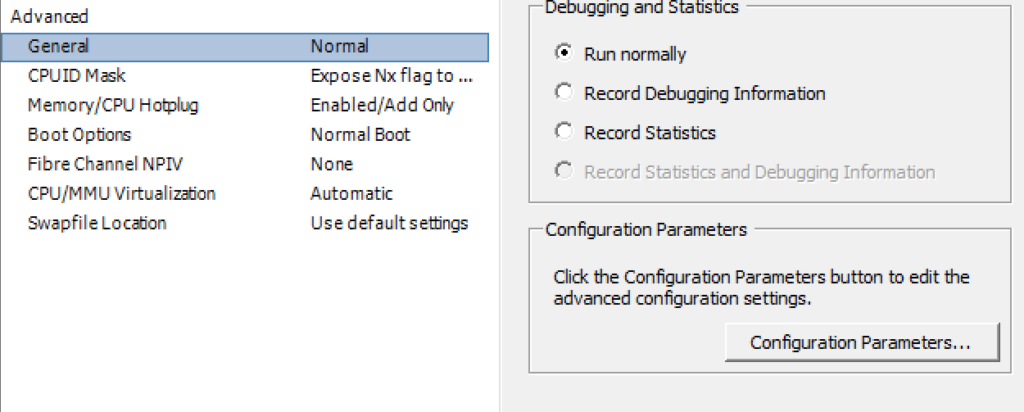
![Fix multipathd[688] add missing path error on Linux - Syslog error](https://www.blackmoreops.com/wp-content/uploads/2021/08/Fix-multipathd688-add-missing-path-error-on-Linux-Syslog-error.png "Fix multipathd[688] add missing path error 429")
Fix multipathd[688] add missing path error – Syslog error
[box type=”error” align=”” class=”” width=””]
Aug 29 17:08:42 myserver multipathd[688]: sda: add missing path
Aug 29 17:08:42 myserver multipathd[688]: sda: failed to get udev uid: Invalid argument
Aug 29 17:08:42 myserver multipathd[688]: sda: failed to get sysfs uid: Invalid argument
Aug 29 17:08:42 myserver multipathd[688]: sda: failed to get sgio uid: No such file or directory
[/box]
After some poking around Google, following solution worked without having to modify anything on Ubuntu. I preferred hardware error to be offloaded to hardware (or VMware).
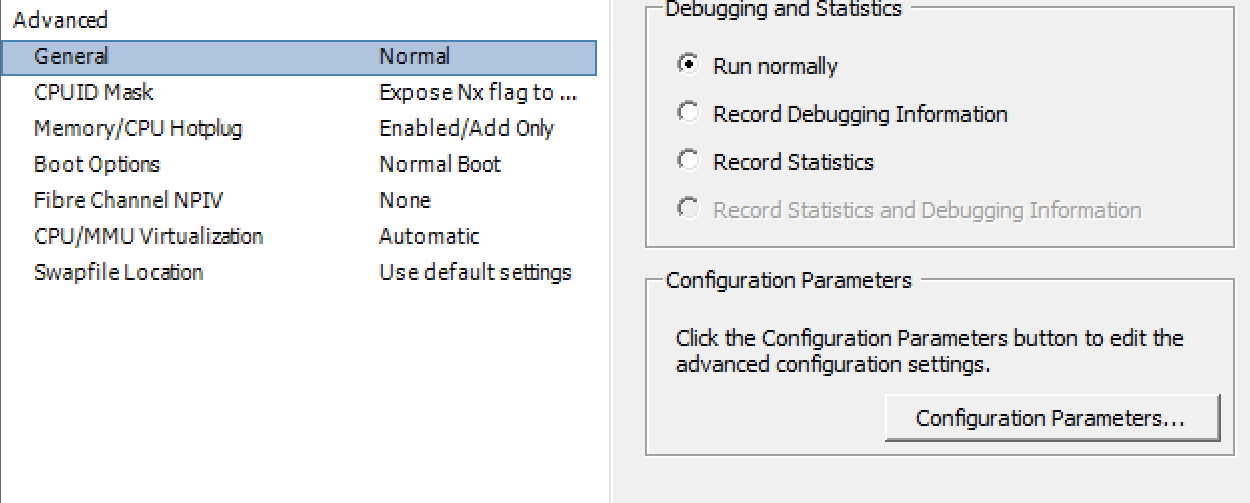
General Configuration Parameters settings on VMware
- Start the
vSphere Client, and log in to avCenter Server. - Select
Virtual Machines and Templatesand click theVirtual Machinestab. Right-clickthe virtual machine for which you are enabling the disk UUID attribute, and selectPower>Power Off.
The virtual machine powers off.- Right-click the virtual machine, and click
Edit Settings. - Click the
Optionstab, and select theGeneralentry in the settings column. - Click
Configuration Parameters. The Configuration Parameters window appears. - Click
Add Row. - In the Name column, enter
disk.EnableUUID. - In the Value column, enter
TRUE. - Click
OKand clickSave. Power onthe virtual machine.
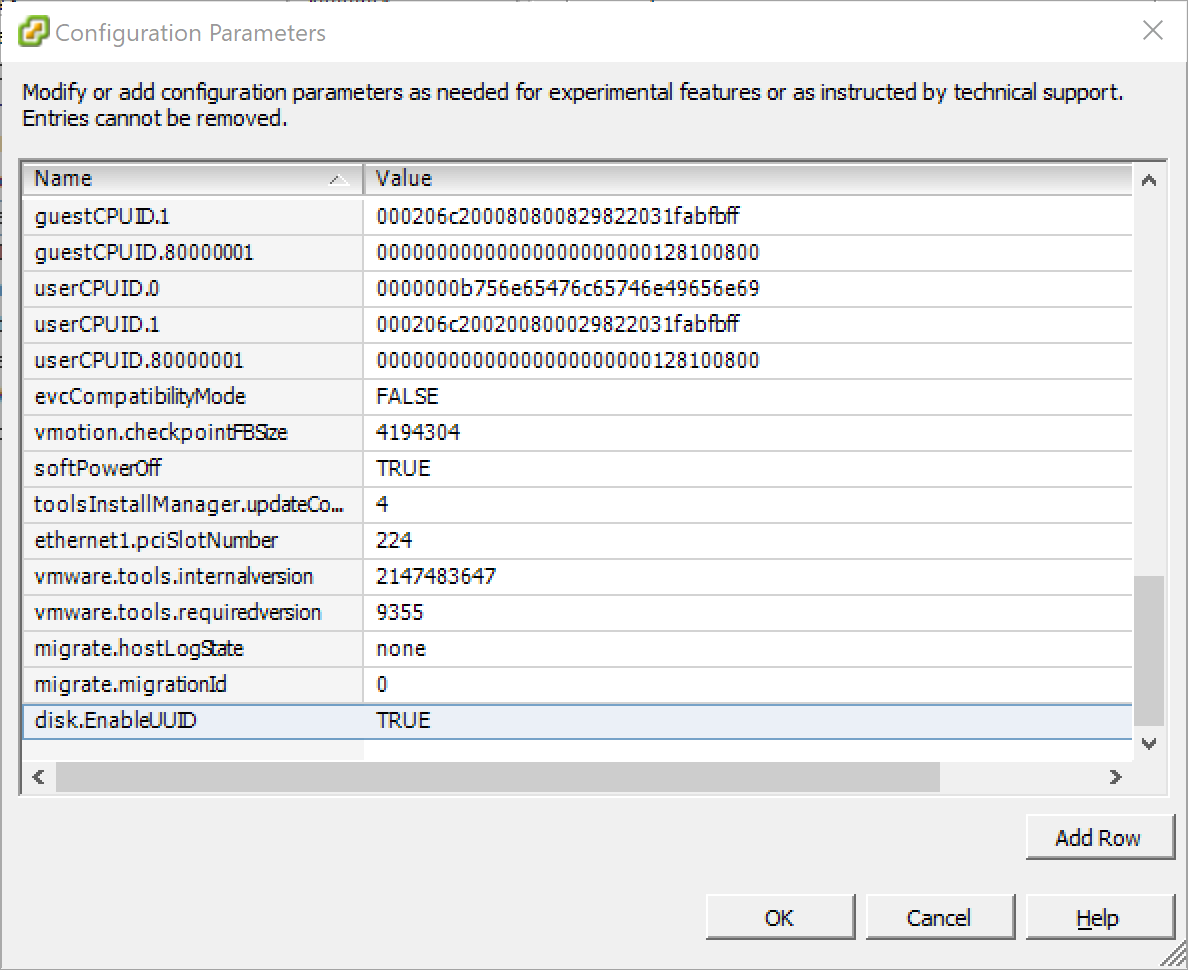
Adding disk.EnableUUID True to Configuration Parameters
That’s it.