
Saturday, July 18, 2026

How to unhide menu bar in Virtualbox

by blackMOREOps
0 comments

So I went in and hid the top menu bar and bottom status bar in Virtualbox. After they disappeared, now I cannot find out how to unhide those. Took me a little bit time to figure out, hence this post so that I don’t forget it and someone else having the same to unhide menu bar in Virtualbox can find this.
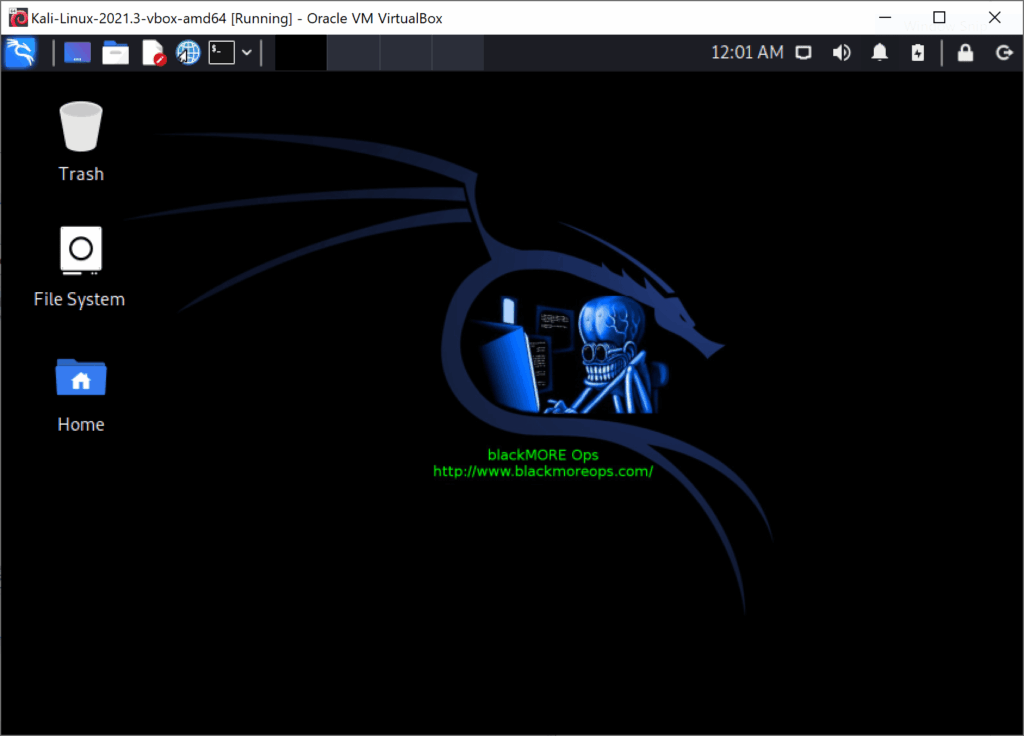
How to unhide menu bar in Virtualbox - blackMORE Ops - 1

As you can see top screenshot has no menu bar or status bar. To unhide it, open virtual machine’s settings, then User Interface page. Check these two boxes:
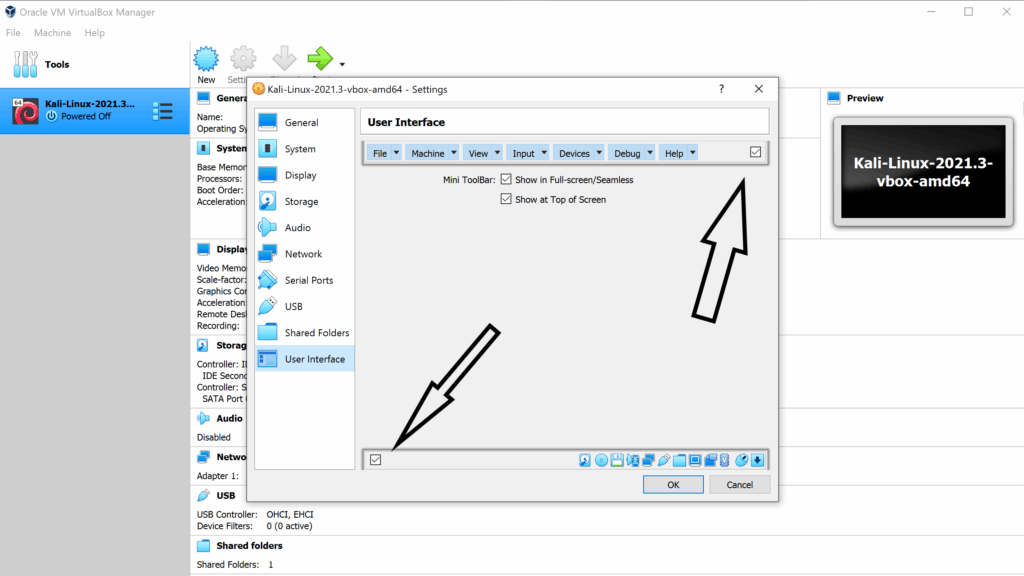
How to unhide menu bar in Virtualbox - blackMORE Ops - 2

Then launch the image again.

Leave your solution or comment to help others. Comment don't need registration or real email, so feel free.

[script_15]

This site uses Akismet to reduce spam. Learn how your comment data is processed.

Best site to learn Linux, Security, Hacking and Kali Linux

Discover more from blackMORE Ops

Subscribe now to keep reading and get access to the full archive.

Continue reading